In the previous example, we explained how you can use n8n and ChatGPT to analyze the structure of a website by manually extracting and entering the respective website URLs.
Doing this manually for every competitor is slow, repetitive, and error-prone.
In this example, we automate the workflow even more by automatically extracting the website in the top 10 SERPs (Search Engine Results Page).
So in this guide, we’ll build a fully automated SEO scraping workflow using:
- n8n – Automation workflow builder
- DataForSEO SERP API – Get top 10 Google search results
- HTTP Request – Load the raw HTML of each page
- AI Agent (GPT-4.1 / GPT-o1) – Extract clean SEO-focused structure
- JSON parsing – Standardized output ready for analysis
- Optional: Send results to Sheets, Notion, Airtable, Looker Studio
Why should you automate website content analysis?
Most marketing experts and SEO experts still review competitor pages one by one and this often takes quite a while if you are reviewing 50 plus pages. This what something I used to do all the time when I would do keyword research, I’d check:
- What keywords competitors are targeting
- How they structure their H1–H3 hierarchy
- Their internal and external link placement
- Meta tags and on-page signals
- Content length and semantic depth
After you do this a 100 times it becomes very repetitive and time consuming.
Given the tools we have these day, this process can be automated saving valuable time. This workflow gives you a repeatable, scalable way to automate the entire website content analysis hence saying valuable time.
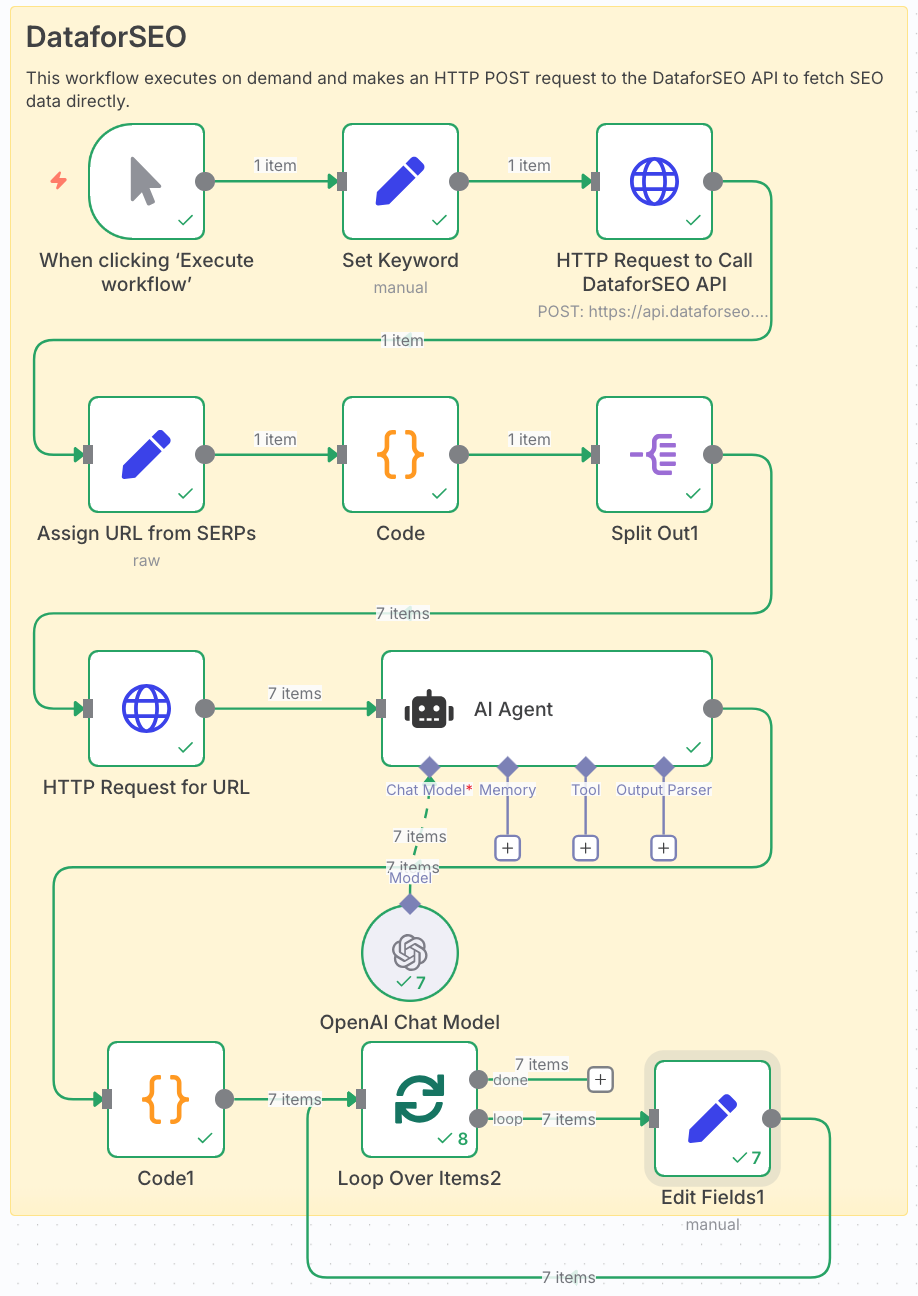
Workflow overview
Here’s the automation pipeline we’ll build from start to finish.
STEP 1: Enter the desired keyword
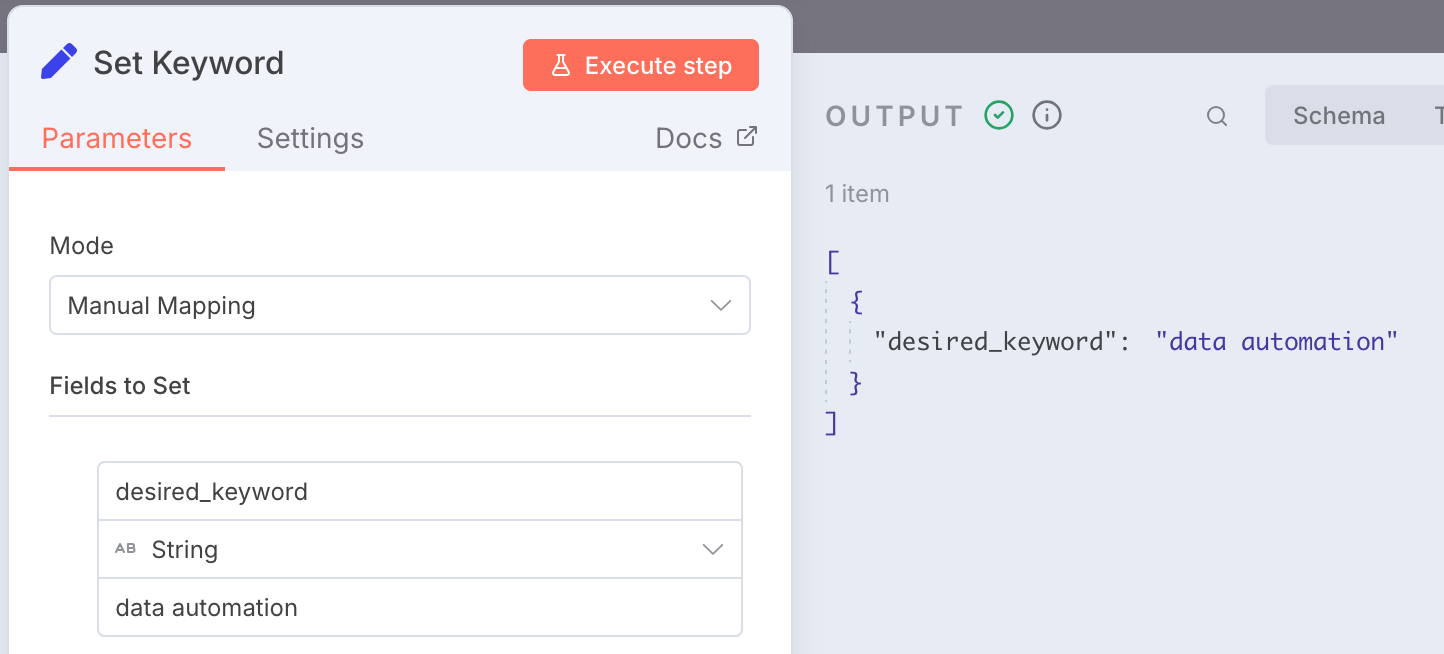
In this step, we enter the desired keyword for which we would like to analyze the website content structure. For this example, we will go with the desired keyword of 'data automation'.

In the Edit Fields module, we are going to create a variable called 'desired_keyword' and we will assign the value as 'data automation'
Here you can enter any desire keyword for your use case.
STEP 2: Use DataforSEO API to get SERPs for keyword
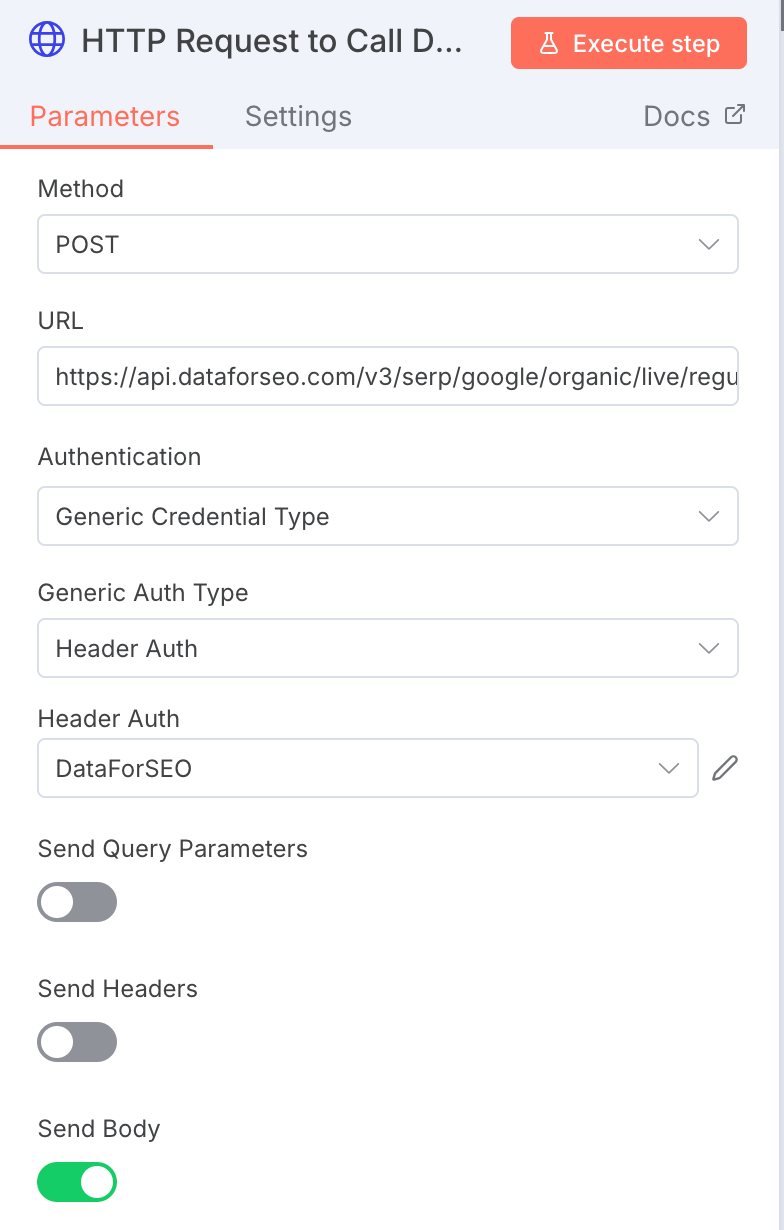
Next we will be using DataforSEO API to get the data, in this case we use the live organic results for Google.
You can import the configuration using the cURL into n8n.
An important to note here is that you will need an account with DataforSEO and the good thing is they start with some free credits initially.
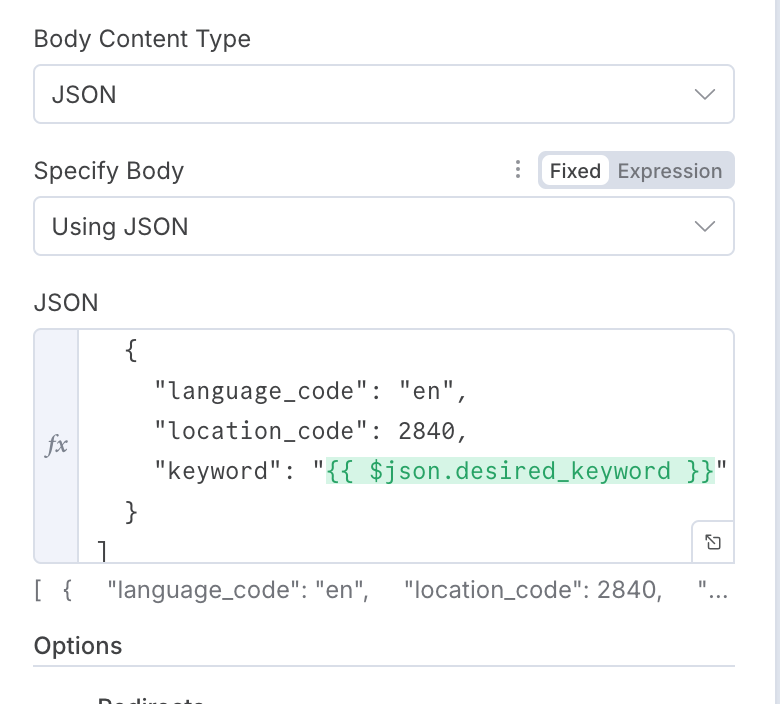
In the JSON section, we are going to enter the following:
Language Code is English and Location Code is USA. You can find more location codes here.
STEP 3: Extract list of website URLs from SERPs
The output you get from the above will have other information too but what we are interested in is only the URLs of the websites, so to do this we are going to use the Edit Fields node with some JSON Code:
{{ JSON.stringify({ urls: $json.tasks[0].result.flatMap(r => r.items.map(i => i.url)) }) }}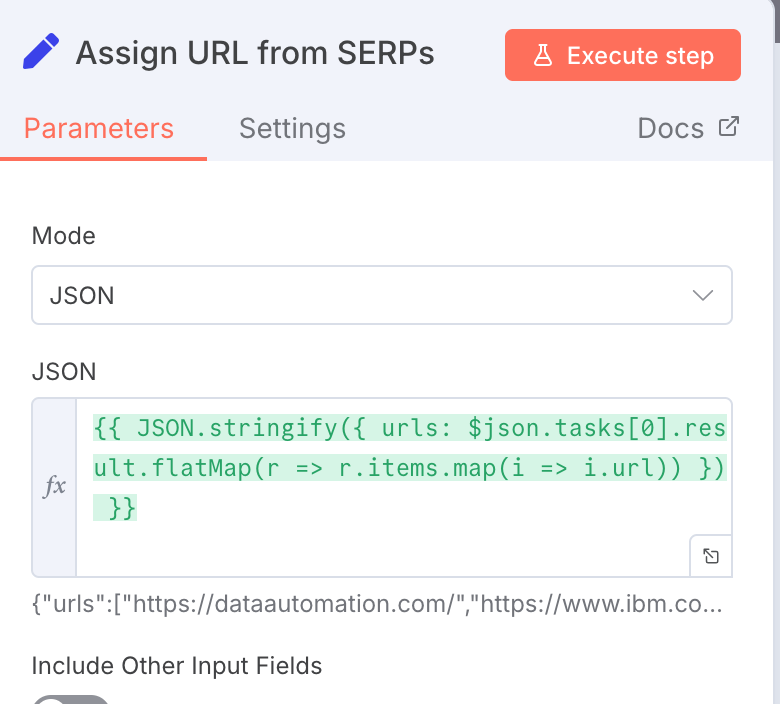
Final result will look something like this:
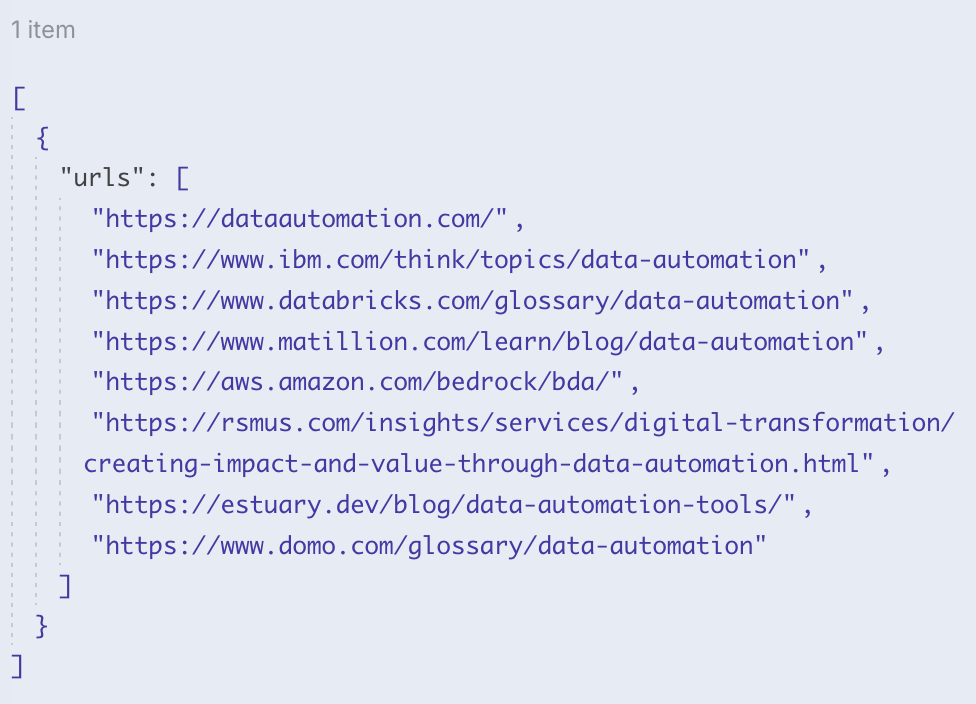
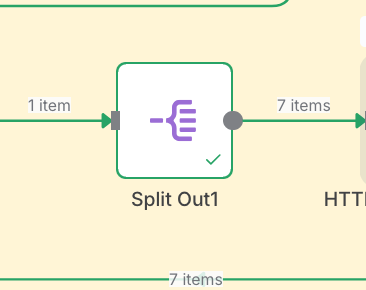
Before we proceed to the next step, what we are actually going to do is split the data into individual data, so our single item will become 7 items. We achieve this by using 'Split Out' node in n8n.
STEP 4: Use HTTP Request to get website Structure
In this step, we will have to use a HTTP Request to get the website structure, the output that we will get looks quite confusing if you have not seen a website structure before i.e. an HTML document.
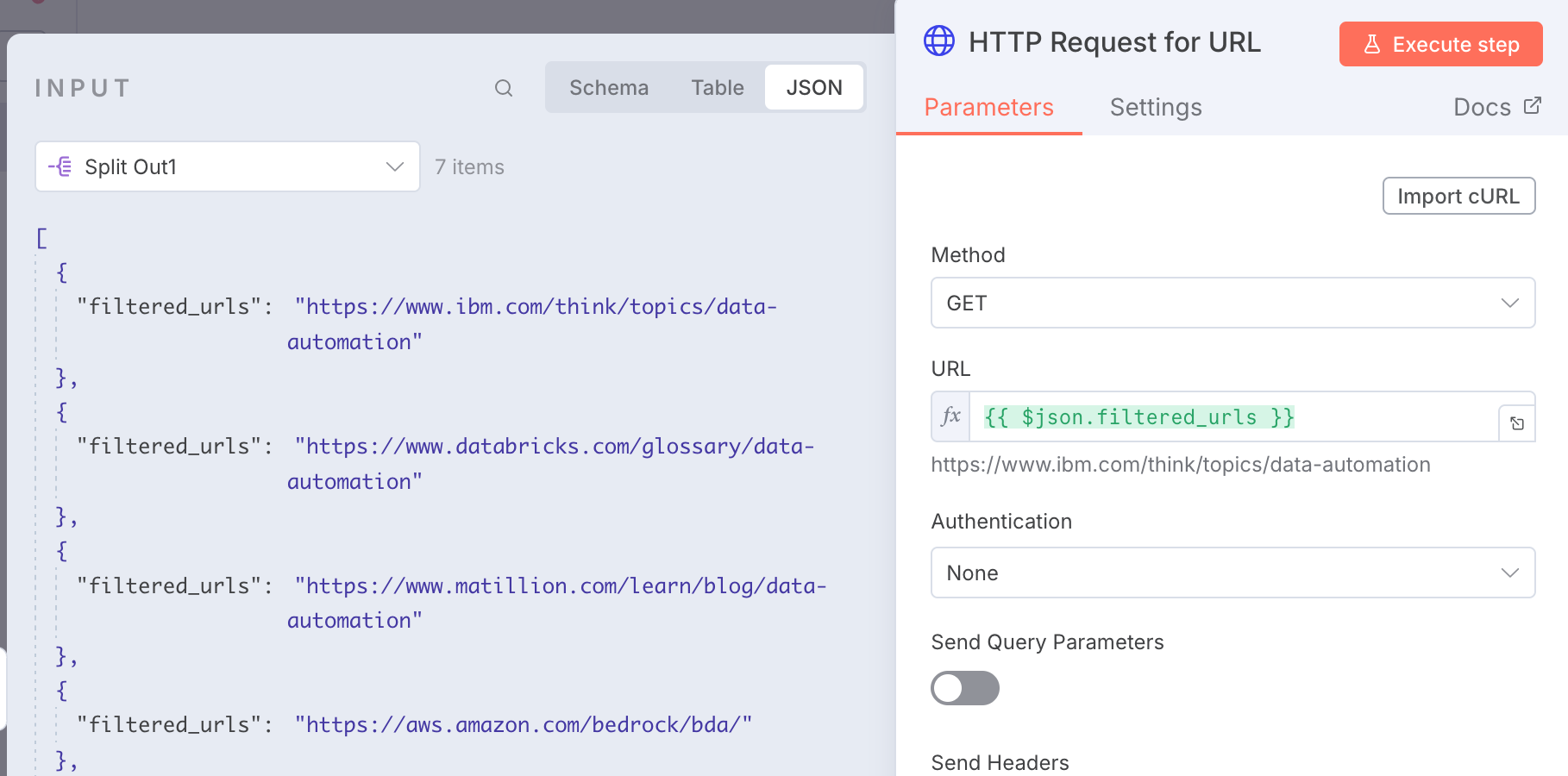
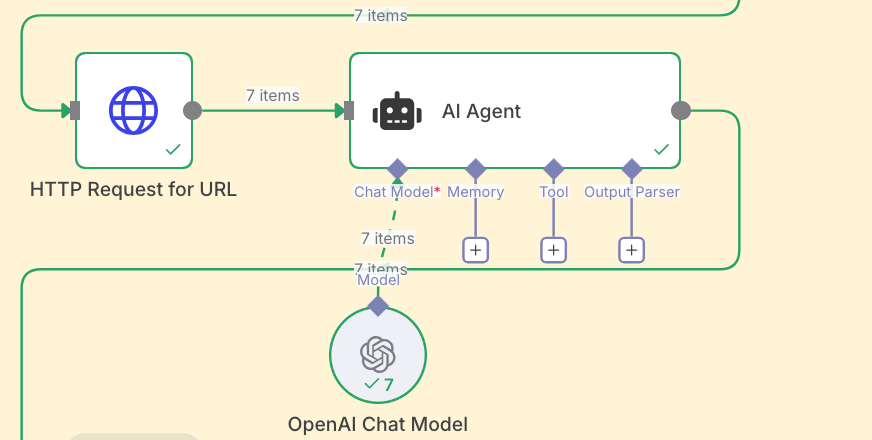
The good thing is we do not need to worry about writing a code to extract valuable information from the HTML data instead, we will be using an AI Agent with OpenAI API to extract that information for us.
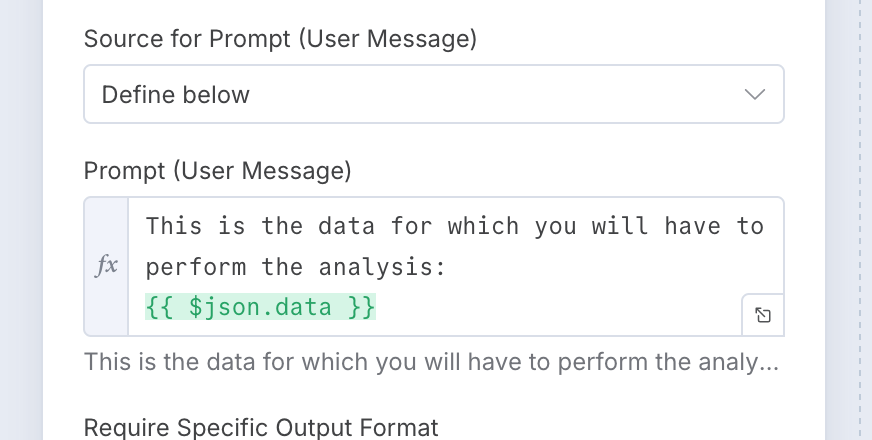
This is what we will be using for the Prompt (User Message):
Through my experience with LLM I have learn that giving the system a well described detailed prompt returned the best results, this involves a lot of playing around and modifying the prompt.
You can play around and experiment yourself, here is what we used but you can improve and update it:
SEO Analysis Agent — System Prompt (Copy & Use)
SYSTEM / ROLE
You are an SEO Analysis Agent.
You receive raw HTML from a webpage.
Your task is to extract only the specified SEO elements and return them in clean, structured JSON.
Do NOT rewrite content, summarize the page, or infer anything that is not explicitly present in the HTML.
OBJECTIVE
From the provided HTML, extract ONLY the following elements:
🔹 Keyword Optimization
- Identify the primary keyword(s) the page appears to target.
- Identify secondary or related keywords used in the title, headings, and body.
- Do not invent keywords — extract only what appears in the HTML.
🔹 Title Tag
- Extract the exact
<title>tag content.
🔹 Meta Description
- Extract
<meta name="description">content. - If not present, return
null.
🔹 Header Tags
- Extract all H1, H2, H3 values exactly as they appear.
- Maintain structural order (H1 → H2 → H3).
🔹 URL Structure
- Return the page’s canonical URL if it exists.
- If not available, return
null.
🔹 Internal & External Links
Return two arrays:
- internal_links → URLs pointing to the same domain
- external_links → URLs pointing to other domains
Output Format
Return all extracted data in clean JSON, following this structure:
{
  "primary_keywords": [],
  "secondary_keywords": [],
  "title": "",
  "meta_description": "",
  "headings": {
    "h1": [],
    "h2": [],
    "h3": []
  },
  "canonical_url": "",
  "internal_links": [],
  "external_links": []
}
STEP 5: Extract website elements into their respective structure
After passing the input data through the AI Agent you will get the output that looks something like this:
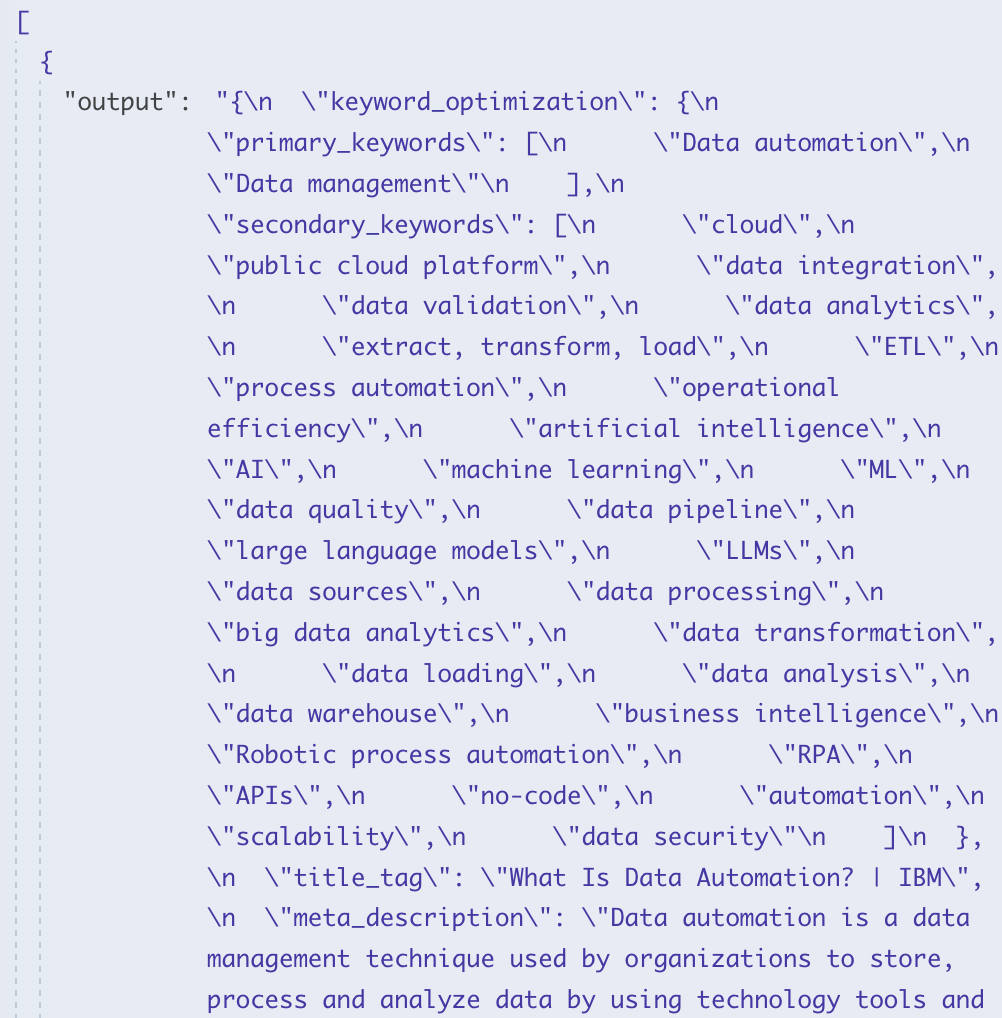
And when you look closely, you will see that the data looks unstructured and quite messy. We can fix this rather quickly with a JavaScript code node.
n8n Code Node: Normalize SEO Analysis Output (Copy & Paste)
// Get all incoming items
const inputItems = $input.all();

const outputItems = inputItems.map(item => {
  const rawOutput = item.json.output;

  // 1. Parse or pass through depending on type
  let parsed;
  if (typeof rawOutput === 'string') {
    try {
      parsed = JSON.parse(rawOutput);
    } catch (error) {
      return {
        json: {
          error: 'Failed to parse JSON from output string',
          message: error.message,
          raw_output: rawOutput,
        },
      };
    }
  } else if (typeof rawOutput === 'object' && rawOutput !== null) {
    parsed = rawOutput;
  } else {
    return {
      json: {
        error: 'Unsupported output type',
        type: typeof rawOutput,
        raw_output: rawOutput,
      },
    };
  }

  // 2. NORMALIZE HEADER TAGS
  // Support:
  //  - array of strings
  //  - array of { tag, content } objects
  //  - grouped { h1: [...], h2: [...], h3: [...] }

  let headerTags = {
    h1: [],
    h2: [],
    h3: [],
  };

  const headerSource = parsed.header_tags ?? null;

  if (Array.isArray(headerSource)) {
    // Case A: array of strings
    if (headerSource.length > 0 && typeof headerSource[0] === 'string') {
      if (headerSource[0]) {
        headerTags.h1.push(headerSource[0]);
      }
      if (headerSource.length > 1) {
        headerTags.h2 = headerSource.slice(1).filter(v => v != null && v !== '');
      }
    } else {
      // Case B: array of objects { tag, content } or similar
      for (const h of headerSource) {
        if (!h) continue;

        let tag = '';
        let text = null;

        if (typeof h === 'string') {
          // If it's a plain string, we don't know level -> treat as h2
          tag = 'h2';
          text = h;
        } else {
          tag = (h.tag || h.level || '').toString().toLowerCase();
          text =
            h.content ??
            h.text ??
            h.heading ??
            h.value ??
            null;
        }

        if (!['h1', 'h2', 'h3'].includes(tag)) continue;
        if (text != null && text !== '') {
          headerTags[tag].push(text);
        }
      }
    }
  } else if (headerSource && typeof headerSource === 'object') {
    // Case C: already grouped { h1: [...], h2: [...], h3: [...] }
    headerTags.h1 = (headerSource.h1 || []).filter(v => v != null && v !== '');
    headerTags.h2 = (headerSource.h2 || []).filter(v => v != null && v !== '');
    headerTags.h3 = (headerSource.h3 || []).filter(v => v != null && v !== '');
  }

  // 3. NORMALIZE URL STRUCTURE
  let canonicalUrl = null;

  if (typeof parsed.url_structure === 'string') {
    canonicalUrl = parsed.url_structure;
  } else if (parsed.url_structure && typeof parsed.url_structure === 'object') {
    const cu = parsed.url_structure.canonical_url;
    if (typeof cu === 'string') {
      canonicalUrl = cu;
    } else if (cu && typeof cu === 'object') {
      canonicalUrl = cu.canonical_url ?? null;
    }
  }

  // 4. NORMALIZE LINKS
  let internalLinks = [];
  let externalLinks = [];

  // Top-level
  if (Array.isArray(parsed.internal_links)) {
    internalLinks = parsed.internal_links;
  }
  if (Array.isArray(parsed.external_links)) {
    externalLinks = parsed.external_links;
  }

  // Nested under "links"
  if (parsed.links && typeof parsed.links === 'object') {
    if (Array.isArray(parsed.links.internal_links)) {
      internalLinks = parsed.links.internal_links;
    }
    if (Array.isArray(parsed.links.external_links)) {
      externalLinks = parsed.links.external_links;
    }
  }

  // 5. NORMALIZE KEYWORD OPTIMIZATION
  const ko = parsed.keyword_optimization || {};
  const primary = Array.isArray(ko.primary_keywords) ? ko.primary_keywords : [];
  const secondary = Array.isArray(ko.secondary_keywords) ? ko.secondary_keywords : [];

  // 6. BUILD FINAL CLEAN STRUCTURE FOR THIS ITEM
  const cleaned = {
    keyword_optimization: {
      primary_keywords: primary,
      secondary_keywords: secondary,
    },
    title_tag: parsed.title_tag ?? null,
    meta_description: parsed.meta_description ?? null,
    header_tags: headerTags,
    url_structure: {
      canonical_url: canonicalUrl,
    },
    links: {
      internal_links: internalLinks,
      external_links: externalLinks,
    },
  };

  return { json: cleaned };
});

// Return one output item per input item
return outputItems;
Once you pass the data through the above code, you will get structured data like the one below.
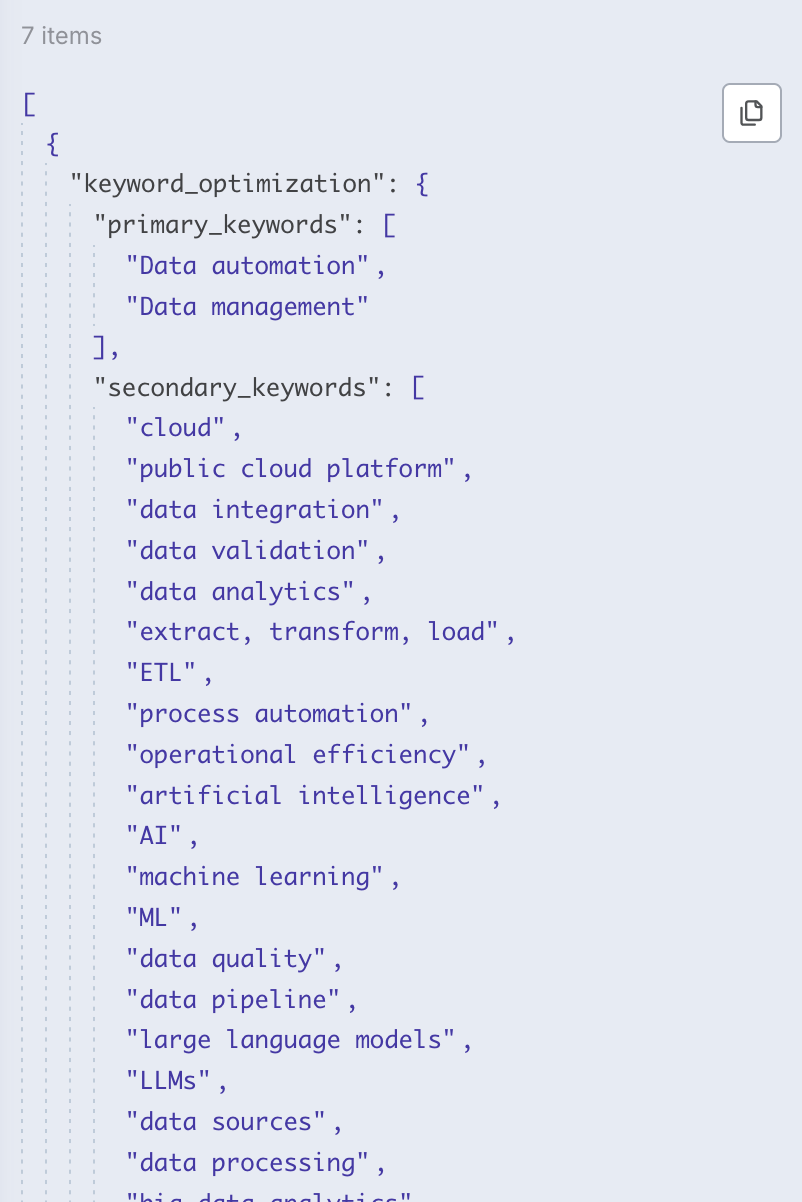
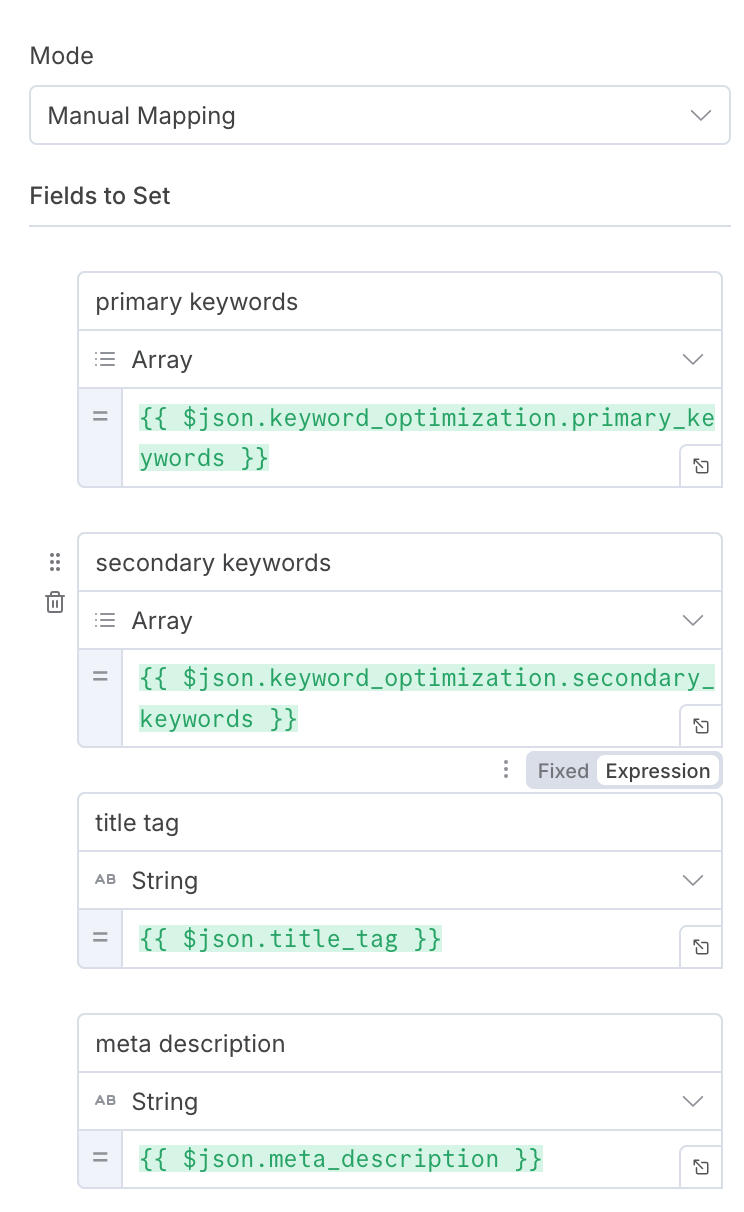
Once last thing we will have to do is assign the output to a variable, we do this as it helps with updating the data into external data storage like Airtable, Excel, Sheets.
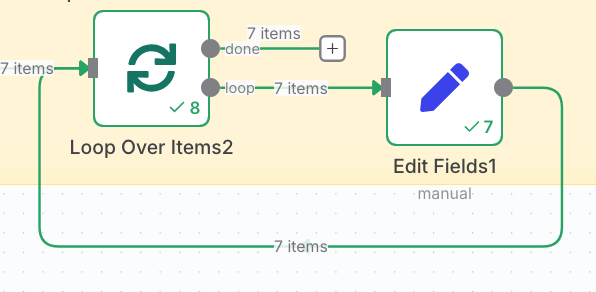
We use the edit fields node to assign each output to a variable, like this below:
AND THERE WE HAVE IT!
This workflow helps save time so that you can focus on the more crucial task related to growing your business.
To Wrap things up:
Manually clicking through competitors and skimming their source code might work for one or two keywords. But once you’re tracking dozens of topics, markets, or client projects, it stops being “research” and starts becoming busywork.
By wiring n8n, DataForSEO, HTTP requests, and an AI agent together, you turn that busywork into a repeatable SERP intelligence pipeline.
From there, the real value comes from what you do with the data:
- Use it to brief writers on content structure and coverage
- Feed it into dashboards for ongoing SERP monitoring
- Train another AI to suggest content gaps, internal links, or title ideas
If you’d rather skip managing scraping infrastructure yourself and focus on strategy. At DataHen, we build and maintain reliable, large-scale web scraping pipelines so your team can spend their time on analysis, not fire-fighting blocked requests.